




Hello! I’m Yoshimoto, a consultant. I usually handle projects for IT companies involving the creation, improvement, and web conversion of manuals.
Approximately 40 files, totaling over 1,000 pages — this is the scale of the Word manual web conversion project our company actually handled. After a competitive selection process involving 10 to 15 companies, we won the contract and were involved end-to-end, from design to Storyblok migration and writing support. The key lesson learned from this experience is one: “Before choosing a CMS, organize the components of the manual.” With that in mind, this time I would like to write about the Word manual web conversion project our company actually undertook.
- Table of Contents
-
- 1. Project Overview
1-1. Challenges Faced by the Client
1-2. The Essence of the Problem: Not "Hard to Understand" but "Unable to Self-Resolve" - 2. What is "Storyblok" in the first place?
2-1. Basics of Headless CMS
2-2. What is Storyblok? - 3. Obstacles Immediately Visible After Starting Web Migration
3-1. Inconsistent Usage of "Caution" and "Supplement"
3-2. Breakdown of Heading Numbers Due to Manual Input
3-3. Variations in Writing Style and Notation
3-4. Why You Should Not Proceed with Web Migration in This Condition - 4. Human Science Approach: "Classification and Definition of Elements" Rather Than CMS Construction
4-1. Identification of Manual Elements
4-2. Mapping to Storyblok Block Elements - 5. Two Unexpected Issues Faced in the Project and Their Solutions
5-1. Tables Became a Larger Factor in Workload Than Expected
5-2. No Automatic Numbering for Headings - 6. Once the design is finalized, writing is just a matter of "fitting in"
- 7. Why Our Company Was Chosen After Comparing More Than 10 Firms
7-1. Client Selection Process
7-2. Three Evaluated Points
7-3. Why Being "Knowledgeable About CMS" Alone Is Not Enough - 8. For Those Considering Web Conversion of Manuals: Pre-Start Self-Checklist
8-1. Definition of Supplementary Information
8-2. Heading Structure and Numbering Management
8-3. Complexity of Tables
8-4. Functional Differences Between Word and CMS - 9. Frequently Asked Questions about Manual Web Conversion
- 10. For Consultations on Manual Creation and Improvement, Contact Human Science
- 1. Project Overview
1. Project Overview
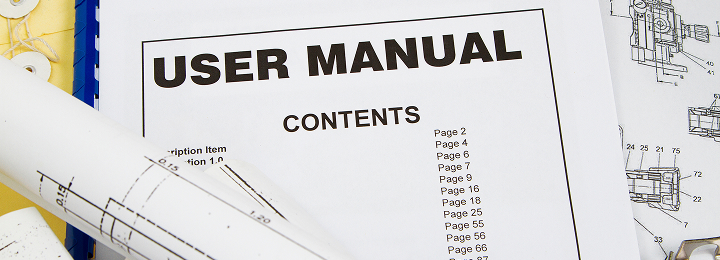
First, we will provide an overview of the project we are introducing this time.
Our company was in charge of a manual web conversion project for an IT company. After a competitive selection involving 10 to 15 companies, we won the contract and handled everything seamlessly from design to migration to Storyblok and writing support.
This project encapsulates challenges common to many companies considering web conversion. First, we will organize an overview of these challenges.
1-1. Challenges Faced by the Client
The documents to be migrated included approximately 40 files of operation manuals and API references, totaling several thousand pages. Although there were many managers in charge, only one person knew which file was the latest version, and no one had a complete overview.
End users were downloading and using files converted from Word to PDF, but they could not search across multiple files. Since they did not know which file contained the necessary information, they had to make a guess and try downloading files one by one.
1-2. The Essence of the Issue: Not "Hard to Understand" but "Unable to Self-Resolve"
The starting point of this project’s challenge was not that the manuals were hard to understand, but rather that users were not in a state where they could use the manuals to solve problems on their own. In other words, even though the manuals were well-prepared, end users could not find answers when searching the manuals, resulting in a constant stream of inquiries.
* For a detailed explanation of the background behind this issue, specifically 'Why Word manuals should be converted to the web,' please refer to a separate article.
>How to Create Web Manuals? Steps to Migrate from Word Manuals and Recommended Tools Explained
This article focuses specifically on the concrete processes and decisions of the actual project.
2. What exactly is "Storyblok"?

Before diving into the main topic, we will briefly introduce "Storyblok," which appears frequently in this article. If you are already familiar with it, please proceed to the next chapter, "3. Obstacles to Web Migration That Became Apparent Immediately After Starting."
2-1. Basics of Headless CMS
A CMS (Content Management System) is a general term for systems that allow you to create, edit, publish, and manage website content without specialized technical knowledge, and they are classified into several types. A "Headless CMS" is a CMS with a structure where the content management interface and the display design are separated.
The implementation of the display side (frontend) is done separately, but the content itself can be centrally managed on the CMS side.
2-2. What is Storyblok?
Storyblok is a type of headless CMS that manages content in units called "blocks." It is a system well-suited for documents with a hierarchical structure, such as manuals.
* For those who want to know more details about Storyblok, please see the blog below.
>Features of the Advanced Headless CMS "Storyblok" | Jamstack Blog | Human Science Co., Ltd.
3. Obstacles to Web Migration That Became Apparent Immediately After Starting

The first thing our company did at the start of the project was to understand the content of the existing Word files. At this stage, it became clear that the usage of elements such as "Caution" and "Supplement" was inconsistent overall. Here, we will explain the three main issues and why you should not proceed with web migration while these issues remain unresolved.
3-1. Inconsistent Usage of "Caution" and "Supplement"
There was no clear distinction between caution notes and supplementary information. In some files, "※Caution" was embedded within the main text, while in others, "【Supplement】" was written in bold. Not only was the format inconsistent, but the importance of the content also varied depending on the person in charge. From the user's perspective, it was impossible to immediately tell whether the information was an important operational caution or just supplementary reference information.
3-2. Breakdown of Heading Numbers Due to Manual Input
The outline and style features built into Word were not utilized, and most files had section numbers like "1.1.1" manually entered, only adjusting the appearance. There were also cases where numbers were skipped or not assigned at all.
3-3. Inconsistencies in Writing Style and Notation
Because multiple people managed files independently, there was no documented rule on how to write each term or expression, resulting in manuals being created without unification. Variations in the manual’s writing style and notation (such as mixing "click" and "clicks") also arose as a consequence.
3-4. Why You Should Not Convert to the Web in This Condition
It is not possible to proceed with designing the components of the CMS in a state with such issues. Even if you forcibly push forward with the CMS migration, while the manual’s appearance may be improved, the fundamental cause of the user’s feeling of "difficulty in understanding" will not change unless the above problems are resolved.
4. Human Science Approach: "Classification and Definition of Elements" Rather Than CMS Construction

In our company, when advancing a project to migrate to a CMS, we include a process to organize "what elements this manual consists of" before building the CMS. Although it may seem like a detour, it is precisely because of this process that the CMS block design proceeds efficiently and confusion during the writing phase is minimized.
Here, we introduce a concrete example connecting element definitions to the block design in Storyblok.
4-1. Identifying Manual Elements
We analyze the existing Word files and list all the elements that make up the manual. Main text, procedural steps, images, tables, cautions (operational warnings), supplements (reference information), annotations, code displays — each of these is individually defined, and rules are established on how to handle each.
For example, in this project, "Caution" and "Supplement" were defined as follows.
Caution
Definition: Used when incorrect operation may cause data loss or errors
Style: Orange-toned Note
Supplement
Definition: Used as non-essential reference information to aid understanding
Style: Gray-toned Note
We documented these rules to create criteria that allow writers to clearly determine whether something is a caution or a supplement without hesitation.
4-2. Mapping to Storyblok Block Elements
The identified manual elements are mapped to Storyblok blocks. In this project, we designed the blocks with the following correspondence.
| Manual Elements | Storyblok Blocks |
|---|---|
| Chapter (Main Heading) | Chapter Block |
| Section/Subsection (Medium/Small Heading) | Section Block |
| Body Text | Text Editor |
| Image | Image Block |
| Note (Warning) | Note Block (Orange) |
| Supplement (Reference Information) | Note Block (Gray) |
| Simple Table | Standard Table Function |
| Complex Table (e.g., Cell Merging) | HTML Table Block |
| Annotations in Table | Tooltip Block |
| Code Display | Code Block |
The design of combining supplements and cautions into a single “Note Block” and switching types by attributes was possible precisely because the manual elements were defined beforehand. When blocks are designed without element definitions, the problem of “no block corresponding to this element” emerges later, causing rework such as rebuilding blocks or changing the structure.
5. Two Unexpected Issues Faced in the Project and Their Solutions

Even with thorough element organization, unexpected issues will inevitably arise in actual projects. What is important is not to eliminate all unexpected issues, but to establish a system that can detect them early and make course corrections.
In this project as well, we encountered several unexpected issues after starting. Here, we will share two particularly impactful unexpected issues and how we resolved them.
5-1. Tables became a factor exceeding the expected workload
At the stage of organizing the manual's elements, we somewhat underestimated the handling of tables.
We thought, "It’s fine to migrate tables as tables," but when we thoroughly examined all the files, the volume and complexity of the tables far exceeded our expectations. The particularly problematic tables were the following complex types.
・Tables with merged cells
・Tables where only specific cells are left-aligned
・Tables with nested headers
Such tables cannot be represented using Storyblok's standard table features. This is not a limitation unique to Storyblok but a common constraint across many CMS platforms. Since the standard functions of CMSs are designed with "simple tables" in mind, it is often not possible to directly reproduce the complex tables created in Word.
Therefore, we changed our approach and decided to adopt a method where complex tables are written in HTML and loaded as blocks. This allows us to freely express layouts that cannot be reproduced with the standard features.
However, there was another unexpected issue here. When converting Excel data directly to HTML, a large amount of style information uniquely added by Excel gets mixed in. If this is directly converted for the web, the code becomes complicated, leading to display issues and poor maintainability. Significant adjustments were necessary to make it clean enough to be loaded on the web.
After trial and error, we arrived at the conversion process of Excel → Word → HTML. By passing through Word once, we found that unnecessary code is removed, allowing us to output relatively clean HTML. Although it is not perfect, the work efficiency has improved significantly. That said, this process still requires a certain amount of effort, so there is room for further efficiency improvements if a tool that can output clean HTML directly from Excel is developed.
When converting Word manuals to the web, tables tend to be overlooked, but in reality, they are one of the factors that greatly affect the amount of work involved. The more tables a project has, the more important it is to decide on the HTML conversion policy and UX requirements early on.
5-2. No automatic numbering for headings
There was one more thing that we had not anticipated before starting. It was the automatic numbering of headings.
Manuals require numbers like "Chapter 1," "1.1," and "1.1.1." In Word, this is included as a standard feature called "Outline Numbering," so familiar that users hardly notice it. However, Storyblok did not have this automatic numbering feature built in by default.
If we had proceeded as is, the authors would have had to manually enter the numbers one by one. It was obvious that issues such as missing or skipped numbers, which occurred during the Word era, would recur. Despite moving to the web, the operational burden would not decrease; on the contrary, it would actually worsen.
Therefore, we requested the development team to create a program that reads the order of blocks and automatically assigns numbers. This eliminated the need for authors to manually input numbers, allowing numbers to be automatically assigned simply by arranging the blocks. Even if a chapter is added midway, the subsequent numbers are automatically adjusted downward.
The reason we were able to notice this gap was that, during the definition stage of the manual's elements, we had organized the requirement to automatically number the three hierarchical levels of chapters, sections, and subsections. Conversely, if we had not done this organization, the problem of "numbers not being assigned" would have surfaced after assembling the blocks to some extent, causing a major rework.
Features that are "taken for granted" in Word may not exist in a CMS. By inventorying "which features are currently used in Word" before migration, the need for such additional development can be identified early.
6. Once the design is finalized, writing is just a matter of "fitting in"

The writing process after defining the manual’s elements and constructing the blocks went smoother than expected.
What the writers do is arrange chapter blocks, place section blocks, and then insert the main text, images, tables, and annotations into the appropriate blocks. There is no need to think about design or structure each time, allowing them to focus on content creation. The judgment of whether something is a caution or a supplement is also clear, as the rules were established during the stage of defining the manual’s elements, so there is no confusion.
In this project, there was hardly any confusion about handling the structure or manual elements during the writing phase. Once the structure is finalized, all that remains is to fit the content into that pattern. The larger the manual production involving multiple people, the more creating a "no room for confusion" state in advance leads to uniform quality.
7. Why Our Company Was Chosen from Over 10 Comparisons

So far, we have shared how the project was carried out and specific measures taken, but now let's shift the perspective a bit and talk about "why this project was entrusted to our company." We hope this will serve as a reference for those who are about to select a manual production company on "what criteria to use when evaluating partners."
7-1. Client Selection Process
This client adopted a phased selection process, starting with requesting materials from 10 to 15 companies and then asking 5 companies to submit proposals. Since this was their first time outsourcing externally, they were very cautious in choosing the contractor.
What was most emphasized was not the "quality of web design" but the "quality of the manual's content (clarity and structure)." The focus was on whether the document functions effectively rather than on its visual appeal. In other words, they were looking for a company that could improve the manual's content, not one that specialized in web design.
7-2. Three Evaluated Points
We received the following feedback on our proposal.
・The identification of issues was accurate
・No other company had proposed such a modern web conversion until now
・The usability of the Storyblok management interface seemed good
It was also one of the reasons that we had experience in producing large-scale manuals, including API references.
We believe that our proposal on "how to diagnose the issues of the existing manual and what to change" was highly evaluated.
7-3. Why Being "Knowledgeable About CMS" Alone Is Not Enough
What we strongly felt through this project was that "simply being familiar with CMS specifications is not enough to fully meet the client's needs." If you cannot read the existing Word manual and identify where users get confused or which expressions vary, the manual will not become user-friendly even after being converted to the web.
8. For Those Considering Web Conversion of Manuals: Pre-Start Self-Checklist

Based on the content so far, this section organizes the points to check before selecting a CMS for those considering converting Word manuals to the web.
8-1. Definition of Auxiliary Information
・Whether the types and usage of auxiliary information such as "Caution," "Supplement," and "Annotation" are standardized among the persons in charge
8-2. Heading Structure and Numbering Management
・Whether the heading hierarchy (chapter, section, subsection) is consistent ※If it varies by file, organizing before migration is necessary.
・Whether heading numbers are entered manually or managed using Word's outline feature ※If entered manually, missing or inconsistent numbers often exist.
8-3. Complexity of Tables
・How many tables have merged cells?
・Are there tables where text alignment and formatting differ for each cell?
When there are many tables, the workload for web conversion tends to be larger than expected. It is important to decide on the HTML conversion policy at an early stage.
8-4. Differences Between Word and CMS Functions
・Which functions used in Word (such as automatic numbering, styles, figure/table numbering, etc.) are not standard features in the CMS?
By taking inventory of the functions currently used in the Word files before migration, you can identify requirements for additional development at an early stage.
Simply by understanding these in advance, you can greatly improve the accuracy of the work-hour estimates for the migration and significantly reduce rework after starting. Conversely, if you begin considering "what manual elements are necessary" only after selecting the CMS, you will later be forced to choose between compromising the manual's expressions to fit the CMS's standard features or addressing it through additional development. The most strongly felt lesson throughout this entire project is that "organizing the manual elements should come before selecting the CMS."
If you are considering converting manuals to the web, first select 3 to 5 representative Word manuals and try color-coding elements such as headings, body text, procedures, cautions, supplements, tables, notes, code, and images. The more sections you find difficult to color-code, the more issues you need to organize before web conversion. When consulting an external manual production company, bringing the project to them once this inventory is somewhat completed will make cost estimation and issue diagnosis by the outsourcing partner smoother.
9. Frequently Asked Questions about Manual Web Conversion
Finally, we have compiled frequently asked questions from customers considering the web conversion of Word manuals. Some parts overlap with what we have already shared, but you can use this as a checklist when considering, "How would this apply to our company?"
If there are any points you would like to know more about, please feel free to contact us.
- QHow long does it take to convert a Word manual to the web?
- A
The time required varies greatly depending on the volume and current state of the manual in question, as well as the method used for web conversion. For full-scale projects like the case introduced in this article involving the migration of over 1,000 pages to a headless CMS (Storyblok), which includes tasks such as identifying elements, block design, converting complex tables to HTML, and additional development like automatic numbering programs, it is common for the process to take several months to over half a year. On the other hand, if you leverage the styles of existing Word files and use dedicated conversion tools for web conversion, it is possible to build the site in a shorter period. By clearly defining the current challenges and the goals you aim to achieve, a concrete schedule will become apparent.
- QDo you have any CMS recommendations for manuals?
- A
The optimal tool varies depending on the scale of the manual and the future operational structure, so it is not possible to say "this CMS is recommended for every company" in a blanket manner. For example, for large-scale manuals that manage hierarchical structures thoroughly and are operated by multiple people, like in this article, a headless CMS such as "Storyblok" is a powerful option. On the other hand, if you want to easily leverage existing Word assets first, using a dedicated conversion tool rather than a CMS may be more suitable. The most important thing is to organize "what elements your company’s manual requires (such as the presence of complex tables, the need for automatic numbering, etc.)" before choosing a tool. Once the requirements are clear, the system best suited to your company will naturally become apparent.
- QIs there anything our company should prepare before web conversion?
- A
Before entering into a full-scale system review, we recommend conducting an "inventory of elements" in your current manuals. Specifically, please refer to the points covered in the self-checklist in Chapter 8. Selecting 3 to 5 representative manuals and color-coding headings, procedures, cautions, etc., to visualize the current state is very effective.
- QHow much does it cost to convert a manual to the web?
- A
The cost varies greatly depending on the number of pages to be webified, the condition of existing data, and the chosen webification method. Some cases can start small from several hundred thousand yen, while projects involving thousands of pages with initial CMS setup and custom feature development can scale to several million yen or more.
- QIs it possible to utilize AI in manual creation and web conversion?
- A
Yes, it can be utilized very effectively. On the production side, using generative AI for tasks such as checking inconsistencies in notation, summarizing text, and multilingual translation can greatly improve efficiency. For users (readers), by integrating AI chatbots and AI search (such as RAG systems), it is possible to create a system where "AI provides pinpoint answers to questions based on the manual's content." This dramatically increases the user's self-resolution rate. However, for AI to provide accurate answers, it is essential that the original manual information is organized and structured in blocks.
The "element organization" discussed in this article is also an essential step when considering future AI utilization.
10. For Consultations on Manual Creation and Improvement, Contact Human Science
Human Science provides one-stop support from Japanese manual creation to English translation. We have a long history of handling numerous manuals since 1985. If you have needs such as the following, please feel free to contact us.
・I want to improve existing Japanese and English manuals to make them easier to understand
・I am considering creating English manuals and want to proceed step-by-step starting from the Japanese manuals
・I want to translate Japanese manuals created in-house into English and utilize them
Feature 1: Extensive manual production experience focused on large and global companies
Human Science has accumulated extensive experience in manual production across a wide range of fields, mainly in the manufacturing and IT industries. We have served prestigious companies as clients, including DOCOMO Technology, Inc., Yahoo Japan Corporation, and Yamaha Corporation.
Case Studies of Manual Production | Human Science
Feature 2: From research and analysis by experienced consultants to output
The creation of business manuals is handled by our experienced consultants at Human Science. Our skilled consultants will propose clearer and more effective manuals based on their extensive experience and the provided materials. Additionally, we can create manuals even from the stage where information is not yet organized. The assigned consultant will conduct interviews to create the most suitable manual.
Manual Evaluation, Analysis, and Improvement Proposal Services | Human Science
Feature 3: Emphasis on not only manual creation but also support for establishment
Human Science not only focuses on manual creation but also emphasizes the important stage of "establishment." Even after the manuals are created, we will support the establishment of the manuals through regular updates and manual creation seminars. Through a variety of measures, we will support the effective use of manuals in the field.
Manual Creation Seminar | Human Science
Thank you for reading until the end. I hope this blog provides helpful tips for creating easy-to-understand manuals.
Tips for Creating and Establishing Business Manuals









































































 Business Manual
 Operation Manual
 Manual creation
 Web Manual
 Director, Writer
 In-house Support
 Video
Video Manual
 Manual Creation
 One-Stop Service for Manual Creation
 Manuals and Documents
 Document Solutions for IT Companies
 Improving Manual UX through UX Writing
 Knowledge Management
 Jamstack
 GitHub/Markdown
 Return to the top of the page
 +81 35-321-3111[Tokyo Headquarters]
  Contact Us
 Resources