

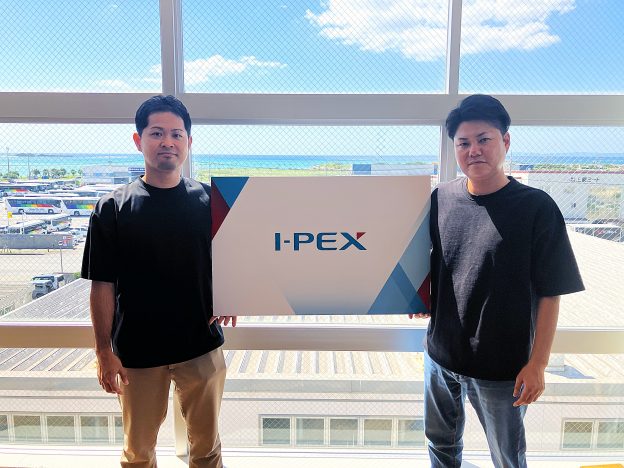
Interview Cooperation:
I-PEX Global Operations Co., Ltd. Administration Section
Mr. Yuki Kasano
I-PEX Global Operations Co., Ltd. Manager
Mr. Taketo Tabata
Overview of I-PEX Global Operations Co., Ltd.
・Established: May 2019 (100% subsidiary of I-PEX Corporation)
・Business Description: In addition to group internal BPO operations, the business focuses on group internal international management and new business development
・Number of I-PEX Group Companies: 5 domestic, 16 overseas
Services Utilized
・MTrans for Office
・Scope of Use: Domestic headquarters and overseas bases
・Number of Users: Approximately 420 ※As of August 2026
・Languages Used: English, Chinese, Thai, Indonesian, etc.
Challenges Before Implementation
This time, we spoke with Mr. Kasano about the introduction and utilization of MTrans for Office.
―― How was the translation work handled before implementing MTrans for Office?
We sometimes used general free machine translation services, but due to security concerns such as information leaks, we tended to avoid using them. Therefore, in situations where translation was necessary, we often outsourced the work to translation companies.
Strengths of MTrans for Office
―― What impressions have stood out to you from actually using it?
I was surprised that with just one click in Outlook, which I use frequently, I can get a translation that is almost grammatically correct. Whether exchanging emails with overseas departments or distributing materials, it can be used with the same ease across Excel, PowerPoint, and Outlook. I find it especially convenient that there is no need to switch software or open a browser for translation, as everything can be done seamlessly within the Office software. Within the company, many employees use MTrans in Outlook, and it seems that similar usage is spreading.
―― Please tell us the reason why you have continued to use it for many years.
The fact that it is completed within Office software, and that file translation and PDF translation can be done while preserving the layout as is, are still major reasons for continued use. Although generative AI can translate and create text, I feel that it often still cannot fully handle outputting files in the same format while preserving the layout.
―― Specifically, what do you feel are the unique strengths of MTrans for Office?
As I mentioned before, it is definitely the ability to translate files and PDFs while preserving their original layout. Since our company often handles drawings, being able to translate while maintaining the format and smoothly deploy them to overseas locations is extremely valuable.
Also, by using the glossary feature, even content with many specialized terms in the connector business can be translated with consistent terminology. In addition to the connector business, we currently maintain about 16 to 17 glossaries, and the accuracy of specialized term translations has a good reputation within the company.
Furthermore, the fact that multiple languages used at bases in South Asia, China, and elsewhere can be handled collectively within the same MTrans, as well as the ability to use it securely in an environment where security is guaranteed, are also attractive points.
Implementation Effects
About 70% Responded in an Internal Survey That "Work Efficiency Has Improved"
About a year and a half after implementation, we conducted an internal survey to understand actual usage. Responses were received from nearly 200 users, and to the question "Has work efficiency improved due to the introduction of MTrans?", about 70% answered "somewhat improved" or "significantly improved." Additionally, to the question "Do you want to continue using MTrans for Office in the future?", about 90% responded "yes."
Utilized for a wide range of purposes such as drawings, proposal materials, and regulatory documents
The usage has expanded across various departments, contributing to improved work efficiency. Drawings are translated by multiple departments, while the sales department uses it for proposal materials both internally and externally, and the administrative department uses it daily for translating meeting materials and regulatory documents. Many employees require English translations for information dissemination to overseas bases, and the research and development department also uses it to translate the latest literature and technical information into Japanese for information gathering purposes.
Expansion of Use through Word of Mouth Also Reflects Implementation Effects
At our company, when an employee wants to try using MTrans, they first contact me, and from there, an account is issued. Since I am in charge of the application window for new users, I am in a position to directly grasp the usage status within the company through daily applications.
There are times when employees who remembered the notification about MTrans sent internally at the time of introduction inquire, "Can it still be used?" For example, a department that used to translate documents sentence by sentence in dealings with a Vietnamese client applied after hearing that there is a way to translate entire files at once. Employees who transferred from other departments knew about it because they used it there, or someone already using it within the department recommended it to new transfers saying, "You should get it." In this way, MTrans has permeated the company through word of mouth.
Future Outlook
―― AI generation is becoming more widespread, but how do you see the roles being divided between it and MTrans for Office going forward?
At this point, I wouldn’t say a clear division of roles has been firmly established, but I do feel that usage is being differentiated depending on the situation. For example, MTrans is used in cases where accuracy of technical terms and maintaining the file format in translations are required, while generative AI is utilized in situations that call for more everyday and flexible expressions, such as composing emails or chatting. Since the environment where Copilot can be used company-wide is also being established, I believe this kind of differentiation will further progress in the future.
―― Please tell us about your future outlook.
We believe it would be beneficial for the use of MTrans to expand in departments that handle daily updates of internal regulations and related tasks. As the use of generative AI spreads within the company, the demand for accurate specialized terminology and translations that preserve layout will increase, highlighting MTrans’s strengths even more. We feel that MTrans will become an indispensable tool in our company’s operations.
From the Person in Charge at Human Science
We had a very valuable opportunity to hear in detail from many manufacturing industry customers who use our product about the specific ways it is being utilized on-site. We also received feedback that information about feature updates and usage guidance has been limited to administrators, so we will proceed with considering methods for communicating information to end users. Moving forward, we will continue to strive to improve features and strengthen our support system so that many customers can use MTrans for Office with confidence.

MTrans for Office, which allows translation with one click, is a plugin for Microsoft Office products such as Outlook. Supported translation engines include DeepL and Google, and it also features integration with ChatGPT.
It features an intuitive interface that requires no explanation and can be used immediately. As long as there is an internet connection, all staff can easily use MTrans to translate Office products anywhere, whether domestically or overseas.
Text generation, rewriting, summarization, proofreading, and dictionary functions by ChatGPT have made it even more convenient.

 +81 35-321-3111[Tokyo Headquarters]
  Contact Us
 Request for Information
 TOP
TOP SITE MENU