


MTrans for Office
One-Click Translation Tool














A caring translator
in your Office
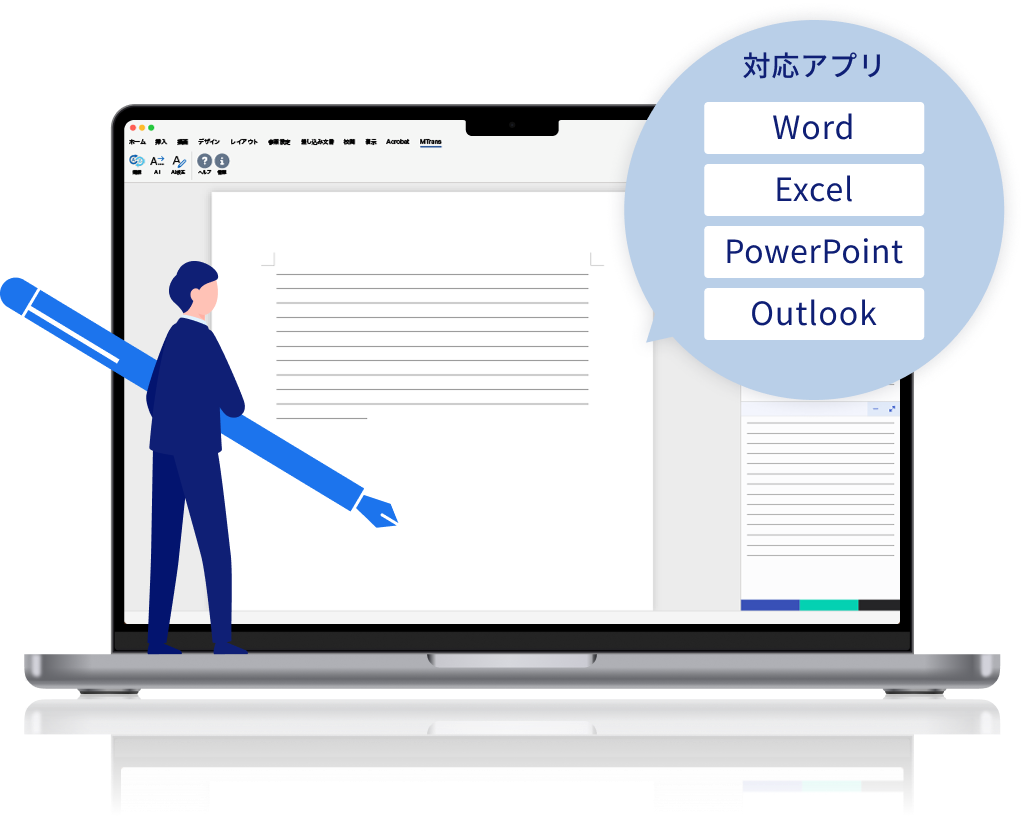
An AI translation and writing tool that can be used directly on Word, Excel, PowerPoint, and Outlook,
Eliminating the hassle of switching screens and copying and pasting,
-
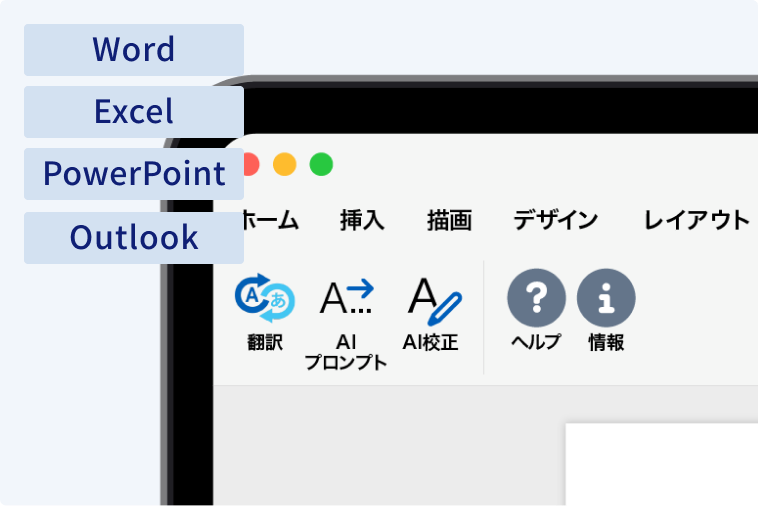
Stay focused on the tasks you need to do, using your usual Office environment
You can translate while keeping Word, Excel, PowerPoint, and Outlook open. There’s no need to transfer text to another tool or paste back the translated text. You can proceed directly to finalizing the document as you translate.
-

Chosen by many companies, including global corporations
Evaluated not only for translation quality but also for security, ease of use, and how easily it can be integrated into daily operations, it continues to be used by a wide range of companies, mainly global corporations and manufacturers.
-
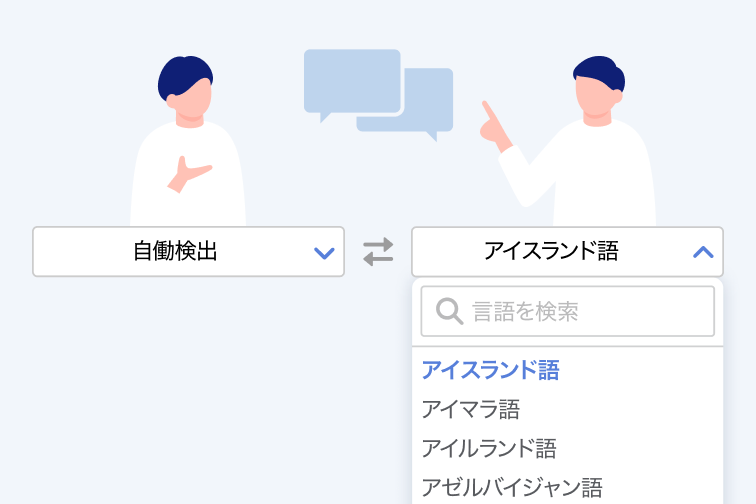
In any language, what you want to convey is delivered exactly as intended to the recipient
Even when translating into multiple languages including English, it preserves the original meaning and nuances as much as possible. This helps prevent misunderstandings or unnatural rephrasing in both internal and external documents and communications.
Reasons why MTrans for Office is chosen
From preparation to final adjustments,
stress is reduced at every step of the translation process.
- Step 1 Preparation Smoothly handle everything from writing to proofreading with AI
- Step 2 Translation Translate entire documents quickly
- Step 3 Post-editing and Adjustment Achieve practical quality with minimal revisions
Step 1 Preparation
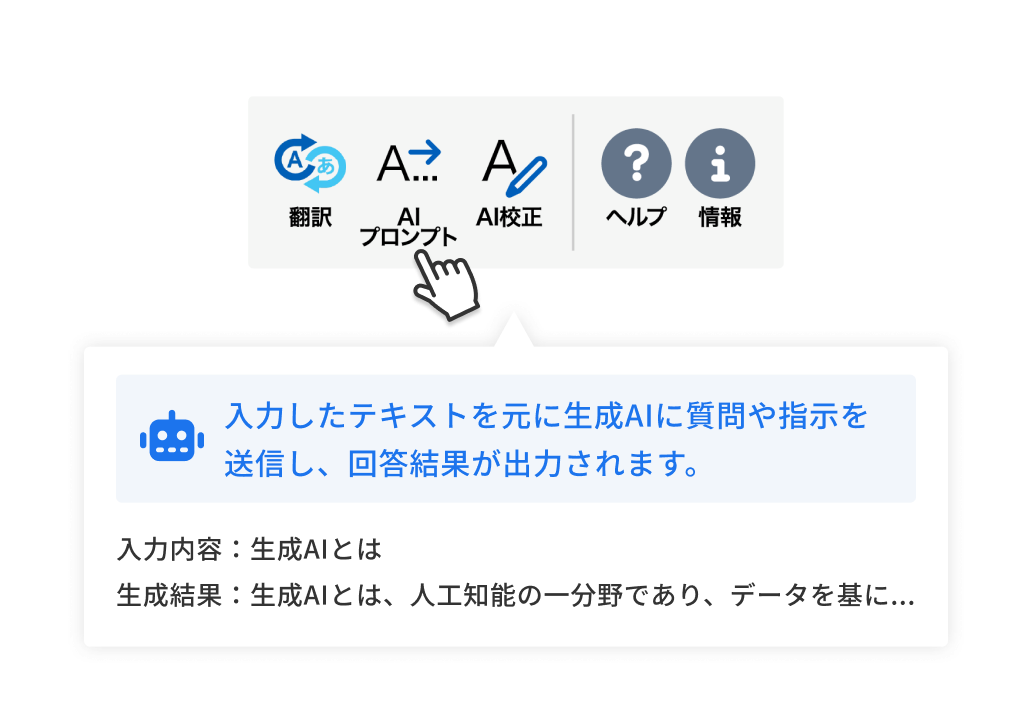
Smoothly from writing to proofreading with AI
Reduce the effort required for writing with AI-assisted draft correction and proofreading support. While unifying expressions, it suppresses mistakes and refines the text to be more accurate and easier to read.
- Correct drafts with AI prompts
- (Optional feature) Reduce errors with AI proofreading
Step 2 Translation
Translate entire documents quickly
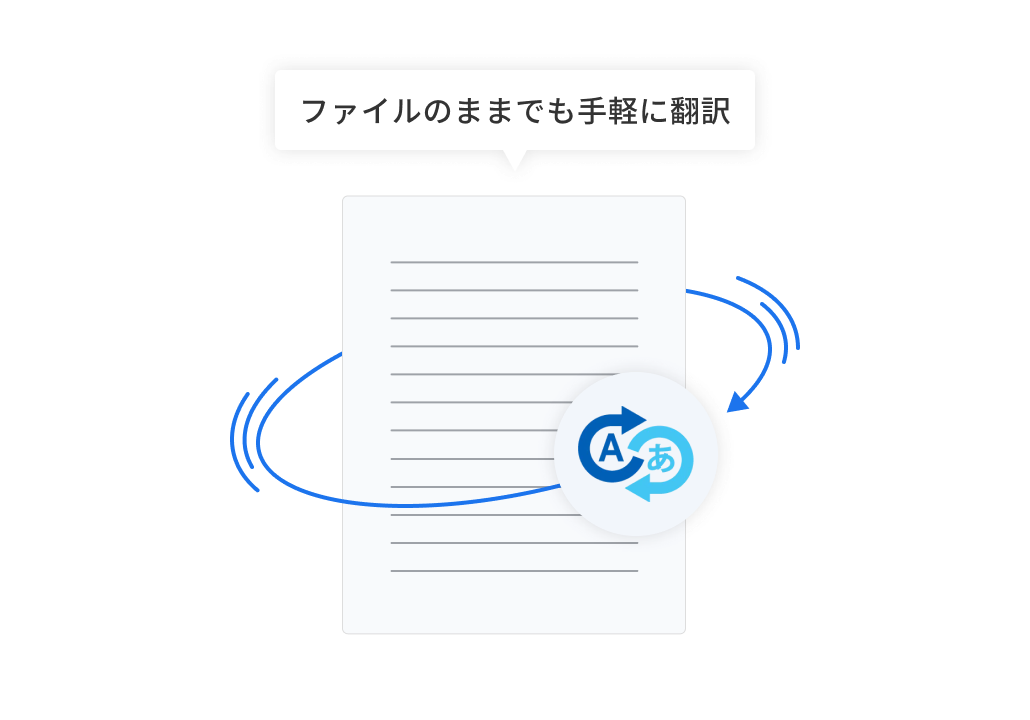
Easily translate Office documents and scanned PDFs as files. You can choose the translation engine according to the document content and usage context, reducing the need for corrections later and enabling smooth translation.
- One-click translation of entire Office documents
- Scan PDFs translated as-is (Windows / Google and DeepL engines only)
- Select translation engine according to purpose (MT engine, AI engine)
Step 3 Post-editing and adjustment
High quality suitable for practical use with minimal revisions
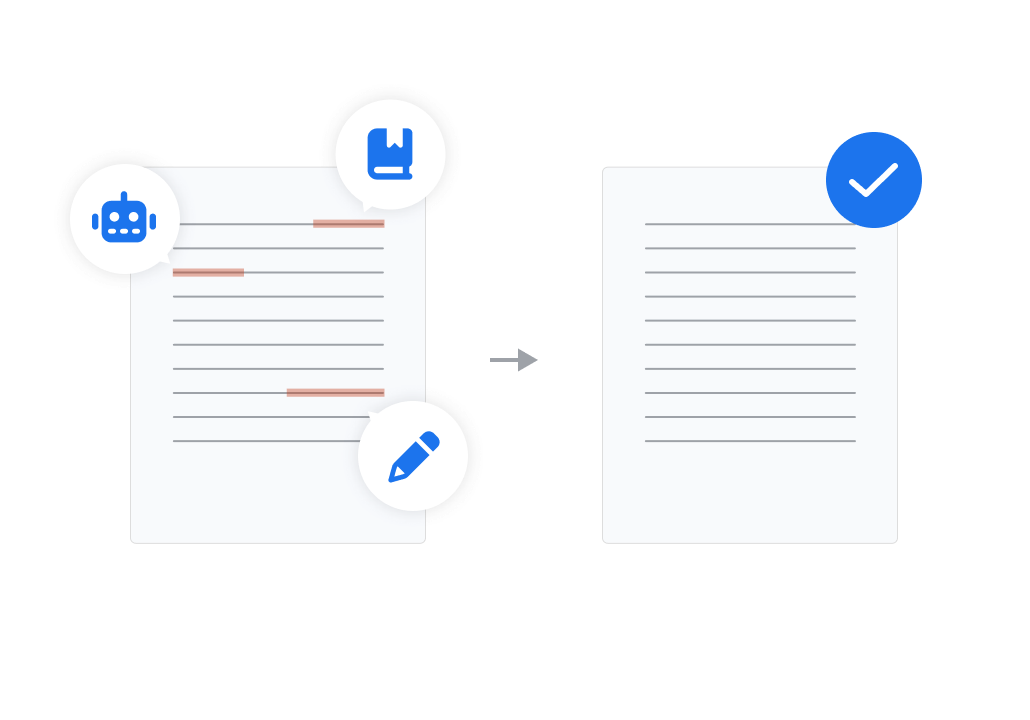
Reduces the burden of repeated revisions after translation, allowing efficient completion to a state usable in practice. It minimizes the time spent on checking and corrections, enabling faster completion.
- Natural translations that consider context
- Unify terminology through integration with glossaries
- Maintain layout and reduce adjustment effort
- Polish translations with AI assistant
- Automate corrections using prompts and search/replace conditions
For those who want to learn more about the features


Comparison
Differences from general AI translation and human translation
| Scrollable | MTrans for Office | Human Translation (Translator) | General AI Translation |
|---|---|---|---|
| Cost | ○ (Low: Flat Monthly Fee) | ✕ (High: Pay-as-you-go) | ○ (Low) |
| Delivery / Work Speed | ○ (Immediate / Automatic) | ✕ (Slow: Several Days or More) | ○ (Fast) |
| Workload | ○ (Zero: Completed Within Office) | ✕ (High: Requests / Coordination) | △ (Medium: Copy-paste back and forth) |
| Layout Preservation | ○ (Fully preserved) | △ (Requires adjustment) | ✕ |
| Consistency of technical terms | ○ (Can be unified with a glossary) | ○ (Dependent on skilled personnel) | △ (No automatic unification) |
| Security | ○ (No secondary use) | ○ | △ (Varies depending on the service) |
Check it out with a 14-day free trial!
Why not actually verify the differences from other company tools and human translation?
Security
Security
The translated content is neither disclosed nor shared externally, and communications are encrypted.
Furthermore, since you can restrict who can use it and from which environments they can connect, it can be used safely in accordance with your company's security policies.
-
Ensuring Data Security in API Connections
Translated Content Is Not Disclosed or Shared Externally
With free translation services and generative AI, input and output data may be stored and reused. With MTrans for Office, there is no risk of translated content being disclosed, shared externally, or reused. Communications are also encrypted, allowing you to use the service with peace of mind.
-
[Option] SSO and IP Address Restrictions
Manage who can use it and where from the company side
Supports login using company accounts and settings to restrict usable networks. Prevents use from outside the company or unauthorized environments, allowing you to manage usage scope according to company rules.
Cases
Case Studies and Achievements
MTrans for Office is implemented across various industries and companies.
In addition to translation quality, its ease of use and security are highly valued, and it is utilized in a wide range of business operations.
Industries with Implementation Records
Manufacturing / Construction / Finance & Insurance / Medical / Hospitality / IT & Software
-
Foreign-affiliated Insurance Company
Finance & Insurance
Key Factors for Adoption
Adopted with an emphasis on security due to handling confidential information
Points Evaluated
- File translation
- Capability to handle large-volume translations
Used for communication with the US headquarters. It helps facilitate information sharing with a sense of speed.
-
Construction tool manufacturer
Manufacturing
Key Factors for Adoption
Introduced due to the ability to translate by file unit, improving work efficiency
Points Evaluated
- Can translate by file unit
- Can generate text using AI
Used for Japanese translation of analysis reports and multilingual translation of training materials. The ability to generate text with AI is also convenient.
-
Major chemical manufacturer
Manufacturing
Key Factors for Adoption
Introduced after evaluating the translation AI features
Points Evaluated
- Secure from a security standpoint
- Can be used without concerns about learning risks like those of generative AI
We widely use it within the company for overseas communication, including reading foreign literature and papers, as well as contract-related matters.
Pricing
Pricing Plans
* A one-time initial fee of ¥100,000 (excluding tax) will be charged separately from the monthly fee for all plans.
| Plans Scrollable | Starter 3 | Starter 5 | Small | Medium | Large | Extra |
|---|---|---|---|---|---|---|
| For those who have only a small amount of daily translation and want to start with a small number of people | For those who use translation as part of daily work at the department or company-wide level | For organizations with a large number of users and translation volume at the company-wide scale | ||||
| Monthly Price | ¥9,000 | ¥12,000 | ¥25,500 | ¥41,100 | ¥94,000 | ¥198,000 |
| Maximum number of users | 3 | 5 | 15 | 30 | 100 | 300 |
| Price per person | ¥3,000〜 / person | ¥2,400〜 / person | ¥1,700〜 / person | ¥1,370〜 / person | ¥940〜 / person | ¥660〜 / person |
| Character limit / month | 1 million items | 1 million items | 3 million items | 5 million items | 10 million items | 24 million characters |
- *1 Please contact us separately if you have more than 300 users.
- * The above price is excluding tax.
- *3 There is no limit on the number of characters used, but in very rare cases, if a very large number of characters are used, we may charge an additional fee.
If the number of characters used falls within the normal range, there is no need to worry about additional charges. - This is a translation function plan. It can also be combined with the writing function plan. Please contact us for details.
For those who want to know more
Check the optimal plan with material downloads and quotes
Implementation Process
Process from Application to Start of Operation
-
Step01
Contact Us / Application
Please feel free to contact us via the web form or by phone.
-
Step02
Hearing & Free Trial Start (14 days)
From the next business day
The assigned staff will hear about your business challenges. You can immediately try it by setting up the Office add-in.
-
Step03
Contract & Account Issuance
As soon as the same day
After the trial, we will propose a plan tailored to your requirements. Accounts will be issued on the same day.
-
Step04
Operation Start & Setup Support
Ongoing Support
Start operations smoothly with glossary setup and operation training by dedicated staff.

Support System by Dedicated Staff Before and After Implementation
From pre-implementation consultation and trial support to post-implementation operation guidance, Human Science's dedicated staff provide support to ensure you can use the service with confidence.
Q&A
FAQ
Translation engines are different. The automatic translation function included in Microsoft Office products uses Microsoft's translation engine only.
Human Science's MTrans for Office allows you to choose from DeepL, Google, Microsoft, OpenAI, and others.
It is also possible to connect a custom-trained engine (customization fees apply).
Additionally, the translation engines up to Office 2016 use an older method of automatic translation called "Statistical Machine Translation (SMT)."
With MTrans for Office, regardless of the Office version, you can use highly accurate "Neural Machine Translation (NMT)" powered by AI.
SMT is an automatic translation using statistics. Translation is achieved by processing a large number of pairs of original text and translated text through statistics.
NMT, also known as "AI translation," is a cutting-edge automatic translation technology that is currently attracting attention.
By using a neural network that mimics brain cells, the quality is significantly improved compared to SMT.
Although the engine does not have a learning function, the translation quality can be improved by using the glossary function.
It supports various languages.
The supported languages vary depending on the translation engine. Please refer to the following for a specific list of languages.
→Google
→Microsoft
→DeepL
→Amazon
→NAVER Papago
NMT currently only supports English language pairs.
For example, when translating from Japanese to Italian, it may be more accurate to translate through English, such as Japanese → English → Italian, rather than directly from Japanese to Italian.
You can check the usage status of each user.
Please contact us for specific details.
Translation accuracy may decrease if excessive font styles are set within a sentence. We are working to improve this, but for now, you can use the "Ignore formatting" feature as a workaround.
Supports Windows desktop versions of Office 2016/2019, and Microsoft 365 for Windows desktop, Mac desktop, and web versions.
There is none.
* However, in very rare cases, if you use a very large amount of characters, we may charge an additional fee.
If the number of characters you use falls within the normal range, you don't have to worry about additional charges.
There is none.
Yes. It includes DeepL, Google, and Microsoft.
Please consult us regarding the use of engines provided by OpenAI, Amazon, and NAVER Papago in the Windows version.
1-year contract.
Please check here<it pos="end" x="2"/>.
By our contract with each translation engine provider, the translated content will not be reused or shared with others. In addition, communication is encrypted and security is protected.
DeepL, Google, Microsoft, OpenAI, Amazon, and NAVER Papago ensure security, eliminating the risk of information misuse.
Possible. It will be an option.
Please refer to the following.
[Destination Server Name (Hostname)]
https://dist.mtrans.online/MTrans+Online/hosts.txt
[Destination IP Address]
https://dist.mtrans.online/MTrans+Online/ip-addresses.txt
*The IP address may change.
Yes.
We support SAML.
We have a track record of supporting Azure Active Directory. For other methods, please contact us separately.

Please feel free to contact us if you have any questions about introducing MTrans for Office
03-5321-3111[Tokyo Head Office]
Reception hours: 9:30 AM to 5:00 PM JST
03-5321-3111[Tokyo Head Office]
Reception hours: 9:30 AM to 5:00 PM JST
 Return to the top of the page
 +81 35-321-3111[Tokyo Headquarters]
  Contact Us
 Request for Information