




- Table of Contents
-
- 1. Why Is Manual Translation in the Manufacturing Industry Challenging? The Four Major On-Site Issues
- 2. Three Solutions to Streamline Manual Translation in Manufacturing
- 3. Why "MTrans for Office" Is Chosen for Manual Translation and Workflow Efficiency in Manufacturing
- 4. Summary
- 5. Frequently Asked Questions (FAQ)
With global expansion now the norm, multilingualization of product manuals and technical documents is an unavoidable task for the manufacturing industry. In fact, according to our survey targeting translation workers, the manufacturing sector has the highest proportion—20.3%—of people who translate several times a month or more among the industries surveyed, and translators work on translations, both Japanese and foreign languages, at a pace of 16 times per week.
However, when they actually proceed, it is not uncommon for those in charge to face obstacles such as "the layout collapsed after translation," "terminology is inconsistent, causing many reworks," and "there is simply too much volume to keep up with." Because it is an industry with a large volume of translation, it is easy to fall into a situation where one has to sacrifice either quality or efficiency.
This article organizes the reasons why manual translation in the manufacturing industry is challenging as the "four major on-site issues," then explains three solutions to balance accuracy and efficiency, and finally covers key points for utilizing one of the optimal tools, "MTrans for Office." If you are struggling to take the step toward streamlining your translation work, please refer to this article.
1. Why Is Manual Translation in the Manufacturing Industry Challenging? The Four Major On-Site Issues

Common challenges in manual translation for the manufacturing industry include inefficiencies in translation tasks, layout disruptions when translating PDFs, difficulties in standardizing technical terminology, and the burden of handling foreign language emails with overseas partners. Ignoring these issues not only leads to a decline in translation quality but also directly results in rework on-site and increased workload.
Table 1: The Four Major On-Site Issues in Manual Translation for Manufacturing
| Issue | What is happening on site | Risks if left unaddressed |
|---|---|---|
| 1. Inefficiency in translation tasks | Formats and volumes vary widely, requiring different tools for each document and frequent switching between applications | Operational efficiency and DX stagnate on site, making operational rules and permission management more complex |
| 2. PDF Layout Distortion | Text overflow, misalignment between images and text, and table formatting issues occur every time a translation is done | Correction work accumulates, making it unprofitable even after introducing tools |
| 3. Inconsistency in Technical Terms | The same part names and operations are translated differently depending on the page or edition | This leads to the use of incorrect parts and tools, resulting in a loss of trust in the products and the company. |
| 4. Burden of Handling Foreign Language Emails | Each time reading or composing, content is copied and pasted into a separate tool. | This not only consumes time but also causes misunderstandings of nuance and mistranslations. |
1. Translation work itself tends to be inefficient
The manuals and technical documents subject to translation are actually mixed in multiple file formats such as Word, Excel, PowerPoint, and PDF. Furthermore, the volume varies greatly from simple documents of a few pages to instruction manuals exceeding 100 pages, so the way of proceeding with the work is not consistent. As a result, it tends to become routine to switch tools depending on the type of document and to operate by going back and forth between applications.
Risk : As the shortage of personnel becomes more serious, if this inefficiency is left unaddressed, the very flow of operational efficiency improvements and DX initiatives will stall on the ground. The more tools you add, the more complex the operational rules and authority management become, which could actually reduce overall productivity.
2. Low accuracy of PDF translation and frequent layout breakdowns
In the manufacturing industry, there are many cases where manuals in PDF format need to be translated. However, since PDF is originally a format intended for viewing and distribution rather than editing, converting it with general-purpose translation tools often causes layout issues such as text overflowing the frame, difficulty in understanding the correspondence between images and the main text, and tables losing their formatting. Even if the translation itself can be done, checking and correcting the broken layout and fixing typographical errors take time, resulting in cases where the expected efficiency gains are not achieved. In fact, a survey we conducted among translation workers showed that 60% expect "prevention of layout breakdown during document translation," revealing that many people in charge share the same concern.
Risk : Even if tools are introduced, the increased correction workload can make it unprofitable, resulting in greater inefficiency on site.
3. Many specialized terms make terminology unification and management difficult
Manufacturing manuals contain a large number of proper nouns such as product names, part names, and technical terms. If the same part name or operation is translated differently depending on the page or edition, it can confuse the reader and lead to the risk of using incorrect parts or tools. Additionally, the requirement to simultaneously deploy translations in multiple languages such as English, Chinese, and Thai further increases the difficulty of terminology management. According to our company’s survey, the top desired feature in translation tools is "translation that leverages specialized terminology from past materials," with 63% of manufacturers seeking this function.
Risk : If there are mistranslations, the manual will not be valid and will lead to a loss of trust in the product and the company. Additionally, if the translations of technical terms vary, the manual will become "difficult to understand" and ultimately unusable.
4. The Burden of Handling Foreign Language Emails with Overseas Partners
Not only manuals, but also email exchanges with overseas offices and business partners are a significant burden. Especially in departments dealing with overseas matters, the need for translation in reading and composing foreign language emails that occur daily is high, and the time burden accumulates. When the operation requires copying and pasting into a separate tool for each translation, even if the time per case is small, the total time taken inevitably increases as the number of cases adds up.
Risk : In addition to making on-site operations inefficient, any subtle misunderstandings or mistranslations can cause problems in communication and the accuracy of exchanges themselves.
2. Three Solutions to Streamline Manual Translation in Manufacturing

To streamline manual translation in manufacturing, it is important to utilize tools that support various file formats, maintain PDF layout during translation, unify technical terms through glossaries, and include email translation functions. What is required is not whether it can be translated, but whether it can be delivered with quality that can be used as is. Here, we explain from three perspectives: tool selection, quality evaluation, and reviewing the email environment.
1. Choose a High-Performance Translation Tool
It is important to support a variety of file formats such as Word, Excel, PowerPoint, and PDF, and to be able to translate multiple files together. If the range of supported documents is limited, you will have to look for other methods each time, which directly reduces work efficiency. Additionally, if the PDF translation accuracy is high and the tool includes a glossary function, it helps unify terminology and reduce the effort required for corrections. In particular, the glossary function allows you to pre-register translations for product names and part names, so that the specified terms are applied during automatic translation, greatly reducing terminology inconsistencies and correction workload. It is also important to check whether you can use multiple glossaries for different products and whether they can be shared and updated online within the team.
Table 2: Checklist for Selecting Translation Tools for Manufacturing
| Items to Check | Why It Is Necessary |
|---|---|
| Supported File Formats (Word, Excel, PowerPoint, PDF) | If the supported range is narrow, you will need to look for other methods each time, reducing efficiency |
| Batch translation of multiple files | In manufacturing, which handles large volumes of manuals, this greatly affects processing time |
| Layout Preservation accuracy | Whether it can reduce the workload for post-translation checking and corrections determines the effectiveness of implementation |
| Presence or absence of the glossary function | The specified translation terms are automatically applied, reducing variation in terms and the effort of corrections |
| Whether multiple glossaries can be used separately by product | Even if the number of products handled increases, terms do not get mixed, and only the necessary glossaries can be applied |
| Whether glossaries can be shared and updated online | Updates are reflected for everyone, allowing maintenance to be done once |
| Support for email translation | Complete interactions with overseas bases and business partners in the same environment |
| Security (SSO, IP restrictions) | Indispensable when handling highly confidential technical documents |
Reference blog: [Updated for 2026!] 5 AI Translation Tools - A Comparison of Features!
2. Receive Evaluation and Analysis of Translation Results to Improve Quality
It is important not to rely solely on automatic translation but to combine it with evaluation and analysis by specialized companies. Many users of translation tools express concerns that there is no way to verify the quality of translations, and more than the accuracy itself, the inability to objectively confirm quality is a source of anxiety. To ensure accurate translation of technical terms and prevent mistranslations, checks by personnel with specialized knowledge are indispensable. Especially for documents related to safety, specifications, contracts, and customer submissions, receiving evaluation and analysis from specialized companies helps alleviate concerns about quality.
3. Review the Translation Function of Email Software
To reduce the burden of handling emails with overseas contacts, the shortcut is to establish a system where translation is completed within the email software. By choosing email software that can seamlessly handle everything from translating received emails to composing foreign language emails, you can eliminate the hassle of switching between apps and greatly improve the efficiency of email translation related to overseas communication.
3. Why "MTrans for Office" Is Chosen for Manual Translation and Workflow Efficiency in Manufacturing
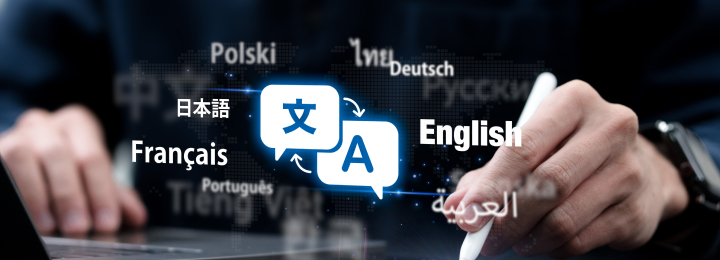
The tool that fulfills the above three solutions in one is "MTrans for Office," provided by Human Science Co., Ltd. Here, we introduce its overview and the reasons why it solves the manual translation challenges in the manufacturing industry.
What is MTrans for Office?
MTrans for Office is an automatic translation solution compatible with Microsoft Office applications such as Word, Excel, PowerPoint, and Outlook. It streamlines document tasks like "translation," "document creation," "proofreading," and "multilingual support" within the familiar Office environment. A major feature is that there is no need to launch separate translation software; translation is completed with a single click from the usual screen.
In manual production within the manufacturing industry, Word, Excel, and PowerPoint are often used. If translation work can also be performed within the familiar Office environment, it becomes easier to introduce the tool while minimizing the impact on existing production workflows.

How Does MTrans for Office Help with Manual Translation in Manufacturing?
1. Convenient Features That Lead to More Efficient Manual Translation
MTrans for Office supports various file formats including Word, Excel, and PowerPoint, allowing you to translate opened files as they are. Since it operates as an add-in, there is no need for copy & paste, enabling bulk processing of multiple manual files at once. It also supports PDF translation, which helps reduce the workload of post-translation editing.
The glossary feature allows you to register industry terms, technical terms, and product names to reduce inconsistencies in translations. Multiple glossaries can be created and used separately for each product series, preventing term mixing even as the number of products increases. Furthermore, since the glossaries are managed online, they can be easily shared among team members, and any updates made by the person in charge are immediately reflected in everyone’s translations. Maintenance requires only a single update, continuously reducing the effort needed for terminology management.
Table 3: Differences in Terminology Glossary Management Methods
| Comparison Items | Management by File Unit | Centralized Online Management |
|---|---|---|
| How to Maintain Terminology Glossaries | Tends to be consolidated into a single file, causing terminology to become mixed as the number of products increases | Multiple glossaries created by product or series, used selectively according to the document being translated |
| Sharing Method | Distributed individually via email attachments or file servers | All members can refer to the same glossary, eliminating the hassle of sharing |
| Reflection of Updates | Redistribution is required with each update, risking translation with outdated versions | When the person in charge updates, the changes are directly reflected in everyone’s translations |
| Maintenance | Version duplication and administrator dependency are prone to occur | Completed with a single update, continuously reducing the effort of terminology management |
2. AI polishes the translated text
By using generative AI, you can polish the translated text and adjust the tone and manner. Difficult-to-read literal translations and rephrasing into expressions suitable for manuals can be refined on the spot without switching screens.
Since the translation can be elevated from a "level where the meaning is understandable" to a "level ready for immediate use," it also helps reduce the burden on reviewers. It can also be used for proofreading the original text, and by refining the Japanese to be easier to translate before translating, the overall quality of the translation can be improved.
3. High-Accuracy Email Translation Function
Within Outlook, you can translate received emails and compose foreign language emails, including English. Because you can translate without leaving the email software, you can continue communications with overseas offices and business partners on the usual screen.
Even if each individual translation is short, the time accumulates significantly day by day. Eliminating the hassle of switching between apps reliably reduces the burden on overseas support departments during daily operations.
Other Notable Features
You can choose from four translation engines: "DeepL," "Google," "Microsoft," and "OpenAI," allowing you to select the optimal engine according to the type of work or document. Since you can compare translations from multiple engines side by side, it helps alleviate concerns about "which translation is appropriate." Regarding security, because each translation engine is connected via API, there is no worry about translation data being disclosed or shared. Additionally, options such as SSO (Single Sign-On) and IP address restrictions are supported, enabling safe use even for highly confidential technical documents.
Reference:
MTrans for Office Official Page
4. Summary
Manual translation in the manufacturing industry faces four major on-site challenges: ① inefficiency in translation tasks, ② accuracy and layout disruption in PDF translation, ③ difficulty in unifying and managing specialized terminology, and ④ the burden of handling foreign language emails with overseas locations. Our company’s survey also shows that, compared to other industries, manufacturing has a higher frequency of translation, while expectations for preventing layout disruption and utilizing specialized terminology in translations stand out, revealing that balancing quantity and quality is the biggest theme. To overcome these, selecting high-performance tools that support various file formats and include glossary functions, utilizing quality evaluations by specialized companies, and reviewing the email translation environment are effective measures.
"MTrans for Office" is a solution that completes translation with a single click within the familiar Office environment, integrating features such as layout preservation, glossaries, batch translation of multiple files, Outlook email translation, selection among four engines, and high security all in one. It is a powerful tool that addresses the manufacturing industry's manual translation challenges of "inefficiency," "terminology inconsistency," and "email handling burden" from a practical, on-site perspective. If you are struggling to take the step toward streamlining your translation tasks, please consider implementing this solution.
If you are facing challenges with PDF layout disruption, terminology unification of technical terms, or handling large volumes of files in manufacturing manual translation, please consider using MTrans for Office. It supports improving the efficiency and quality of translation work within the familiar Office environment.
5. Frequently Asked Questions (FAQ)
- Q
What are common challenges in manual translation for the manufacturing industry?
- Q
Why does the layout break when translating PDF manuals?
- Q
How can I unify technical terms in manual translation?
- Q
What are the key points for choosing a translation tool for the manufacturing industry?
- Q
How does MTrans for Office help with translation tasks in the manufacturing industry?




















 Return to the top of the page
 +81 35-321-3111[Tokyo Headquarters]
  Contact Us
 Request for Information