




- Table of Contents
-
- 1. What Are AI Translation Tools?
- 2. How Older AI Tools Differ from Generative AI Translation
- 3. Three AI Translation Methods, Their Mechanisms, and Their Differences
- 3-1. RBMT (Rule-Based Machine Translation)
- 3-2. SMT (Statistical Machine Translation)
- 3-3. NMT (Neural Machine Translation)
- 4. Pros and Cons of AI Translation Tools
- 5. Top 5 AI Translation Tools
- 5-1. Google Translate
- 5-2. DeepL
- 5-3. ChatGPT
- 5-4. Microsoft 365
- 5-5. MTrans for Office
- 6. How to Choose an AI Translation Tool
- 7. Summary
1. What Are AI Translation Tools?
AI translation tools are tools that use artificial intelligence (AI) to automatically translate between languages. They utilize technologies such as machine learning, natural language processing, neural networks, and deep learning to translate from one language into another. This facilitates communication and information sharing between different languages.
AI translation became widely recognized when Google announced its Google Neural Machine Translation (GNMT) in 2016 and made it available to users. GNMT had much higher accuracy compared to the existing Google Translate service thanks to the utilization of deep learning.
Since then, deep learning has been adopted by other companies as well, leading to the emergence of more fluent automatic translation services like DeepL. In 2020, Google revamped its neural network by introducing new tech called Transformer. As a result, both its speed and accuracy have further improved.
This Transformer technology is used not only for translation, but has also been incorporated into generative AI more generally, such as the widely popular ChatGPT by OpenAI, Gemini by Google, and Claude by Anthropic.
The basic features of AI translation tools include not only text translation but also file translation for Word and other documents, as well as the inclusion of glossaries and translation memories. By utilizing these features, the translation process becomes more efficient and the accuracy of the translations improves.
2. How Older AI Tools Differ from Generative AI Translation
This section explains generative AI translation and how it differs from earlier forms of AI translation.
● What is Generative AI?
Generative AI technology is where deep learning models are trained on massive amounts of data to automatically generate new content, such as text, images, and audio. Unlike traditional searches or fixed output, it is characterized by its ability to infer context and form creative expressions from scratch. As a prime example, ChatGPT provides all kinds of outputs, from question responses to translations and summarizations, while in conversation with humans. This technology's potential to support professional fields is expanding and may include work such as drafting advertising copy for companies, providing personalized instruction in education, and generating hypotheses in research. On the other hand, issues such as misinformation, copyright infringement, and bias exist in the generated output, so verification and the establishment of guidelines are essential when using generative AI.
● Differences from AI Translation
The mechanism that drives traditional AI translation (neural machine translation) typically refers to a bilingual corpus, calculates the probability of phrase equivalence, and selects the most likely combination of words. In contrast, generative AI writes translated text from scratch by inferring characters and context from the data it was trained on. ChatGPT, a familiar example at this point, can follow multiple instructions that dictate the style, such as polite language, summarization, or commentary, and can even respond to questions from the user about technical terms or unclear passages. It also has the advantage of being able to infer nuance and propose expressions tailored to the reader. However, you must remain cautious of how generative AI may be influenced by its training data and how it may to output factually inaccurate hallucinations.
For more details about generative AI, please check out the blog article below.
"What Are the Risks of Generative AI? Explaining the Necessary Use Strategies!"
3. Three AI Translation Methods, Their Mechanisms, and Their Differences
This section explains the three methods of AI translation, their mechanisms, and their differences.
● RBMT (Rule-Based Machine Translation)
RBMT (Rule-Based Machine Translation) is a translation model that uses dictionaries and grammar rules that were written manually based on human linguistic knowledge. This method has been used since the early days of AI translation. It parses the input sentence and reconstructs the corresponding words and expressions according to the grammar rules of the target language, making it suitable for fields where the terminology and language structures are highly consistent. However, this method is bad a handling expressions that are not covered by the rules, such as colloquial language and new words. Also, the high cost of adding dictionaries and updating the rules is a major problem.
● SMT (Statistical Machine Translation)
SMT (Statistical Machine Translation) is a translation model that statistically analyzes a large bilingual corpus and learns the likely equivalencies between the source and target texts. First, the input sentence is divided into words or phrases, and a "translation table" is created based on the frequency with which each source-translation pair appears alongside the others. Then, a "language model" that rearranges the word order is applied, producing the translation with the highest probability of being correct. Compared to the traditional rule-based method, where grammar rules are manually laid out, SMT is better at adapting to unknown expressions, but it still struggles to handle expressions not found in the corpus and sentences whose context extends over long phrases.
● NMT (Neural Machine Translation)
NMT (Neural Machine Translation) is an AI technology that translates whole passages. Unlike the earlier statistical method, a deep neural network trained on vast amounts of bilingual data processes entire sentences at once while considering the context. As a result, this method excels at generating smooth translations that naturally preserve word order and expressions.
For more details about machine translation, check out the following blog article.
"How Machine Translation Works: Direct Translation Type, Free Translation Type, and Neural Translation Explained"
4. Pros and Cons of AI Translation Tools
This section will explain the advantages and disadvantages of AI translation tools.
<Advantages of AI Translation>
● Saving Time and Money through Translation Automation
By utilizing translation automation, you can significantly reduce the costs and time needed to translate. Compared to manual translation work, leveraging translation software and AI enables efficient document translation. Companies and organizations can translate into multiple languages in a short time while also keeping costs down.
● Improving Translation Accuracy
Another advantage of AI translation tools is the rise in translation accuracy. Compared to traditional machine translation methods, the number of mistranslations has significantly decreased. Also, because AI translation tools learn from such vast amounts of data, they can achieve this level of accuracy even when translating niche jargon in special fields. Therefore, they are also suitable for translating professional documents and technical terms.
● Multi-Language Support
The fact that AI translation tools support multiple languages is also a benefit. This allows companies to communicate smoothly with overseas branches and customers. Such tools are very convenient for companies planning a global expansion, as they enable seamless trade with different language regions. By utilizing AI translation tools, accurate translations can be efficiently produced, which should greatly contribute to business expansion.
<Disadvantages of AI Translation>
● Accuracy Concerns
There are situations where AI translations lack accuracy. In text that contains complex syntax or specialized terminology, the accuracy tends to decrease. The system may misinterpret the context or select the wrong meaning for words that have multiple interpretations, resulting in mistranslations. In long sentences, some phrases may also be omitted from the translated text.
Additionally, instances of humor, sarcasm, and culturally nuanced idioms, where the meaning differs from the literal translation of the source, often result in unnatural translations.
● Human Review Is Necessary
Relying solely on AI translation can result in publishing texts where mistranslations have gone unnoticed, so human review is necessary. This is especially true for important documents, which should always be checked by a professional translator.
● Concerns about Security Risks
When using AI translation, you must pay attention to data security, especially when inputting confidential documents, such as legal forms or medical records. Some services may retain the content for future training purposes, meaning that the data could appear in third-party translation results through shared models. For these reasons, you should carefully check the terms of use and the system settings, and choose tools equipped with encryption and confidentiality functions when necessary.
For more details on the disadvantages of AI translation, check out the blog post below.
"Overcoming the Faults of AI Translation (Machine Translation) to Use It More Efficiently!"
5. Top 5 AI Translation Tools
The following are five automatic translation tools equipped with AI.
Google Translate
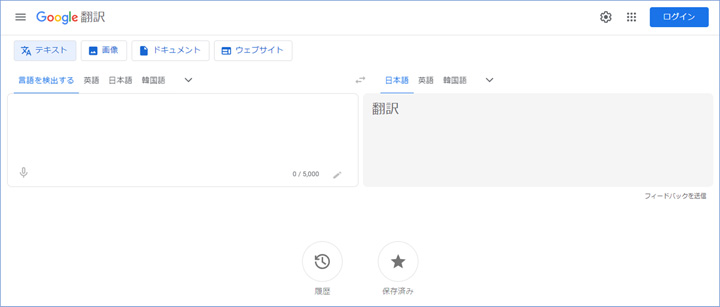
Google Translate is a widely used free AI translation service available on computers and smartphones. It supports over 100 languages. File translation is also possible. However, it is not recommended for business use, because the input data may be repurposed to update the service.
For the Google Translate website, click here.
DeepL
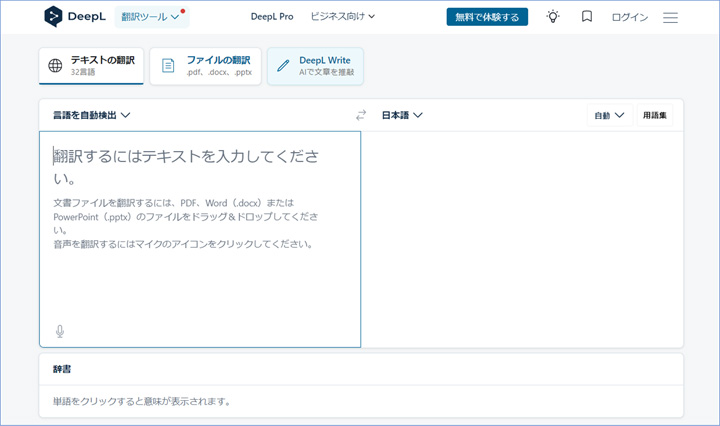
DeepL is an automatic translation service popular for its high fluency in particular. It provides file translation and glossary functions, and also allows you to specify the level of formality when translating into Japanese. The classic model only supports about 30 languages, which is fewer than other services but covers the most prevalent languages. Recently, although still in beta, the newer model has expanded their supported language list to over 100 languages. Additionally, this model offers a proofreading support service called DeepL Write. When using the the free plan, input data may be repurposed for for service updates, but the paid plan ensures confidentiality, making it safe for business use. For details on DeepL's confidentiality policy, read more in the article below.
For the DeepL website, click here.
"Confidentiality with DeepL Translations. Is It Secure?"
ChatGPT
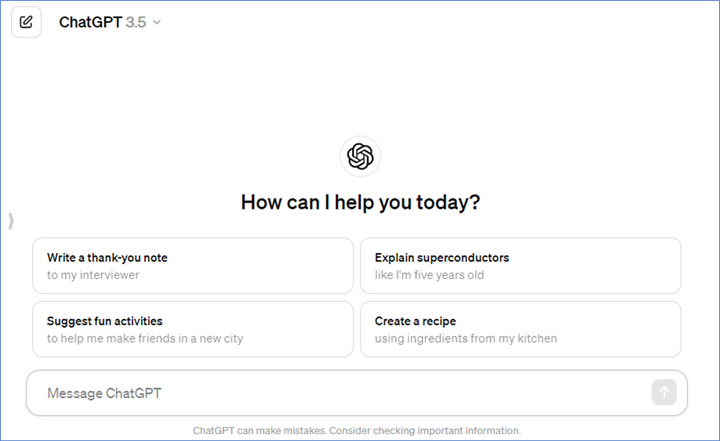
OpenAI's AI chat service, ChatGPT, can also be used as an AI translation tool. If you write, "Translate to Japanese," in the chat box and then enter the source text, it will be translated. The system does not offer support for setting a glossary or specifying the gammatical style (formality) of the translation, but the results can be altered based on further instructions written in the chat box. For more details on how to use ChatGPT for translation, check out the article below.
"How to Use ChatGPT for Translation – Usage Methods and Practical Procedures"
Regardless of whether you pay to use ChatGPT, you can change the permissions for whether your input data can be used for system training from the settings screen. For more information about ChatGPT's security protection policy, click the article below.
"Do ChatGPT, Copilot, Gemini, and Claude Keep Confidentiality?"
Microsoft 365
The Office applications Word, Excel, PowerPoint, and Outlook are equipped with AI translation features. They support text translation and file translation (Word only). Glossaries and the specification of casual or polite writing style cannot be set. For all applications, because the input data and output results used for automatic translation are not used by the system for any other purpose, this tool can be safely used for business purposes. For more details on how to translate in each application, check out the article below.
"The Means and Benefits of Integrating ChatGPT with Office Products to Translate"
MTrans for Office
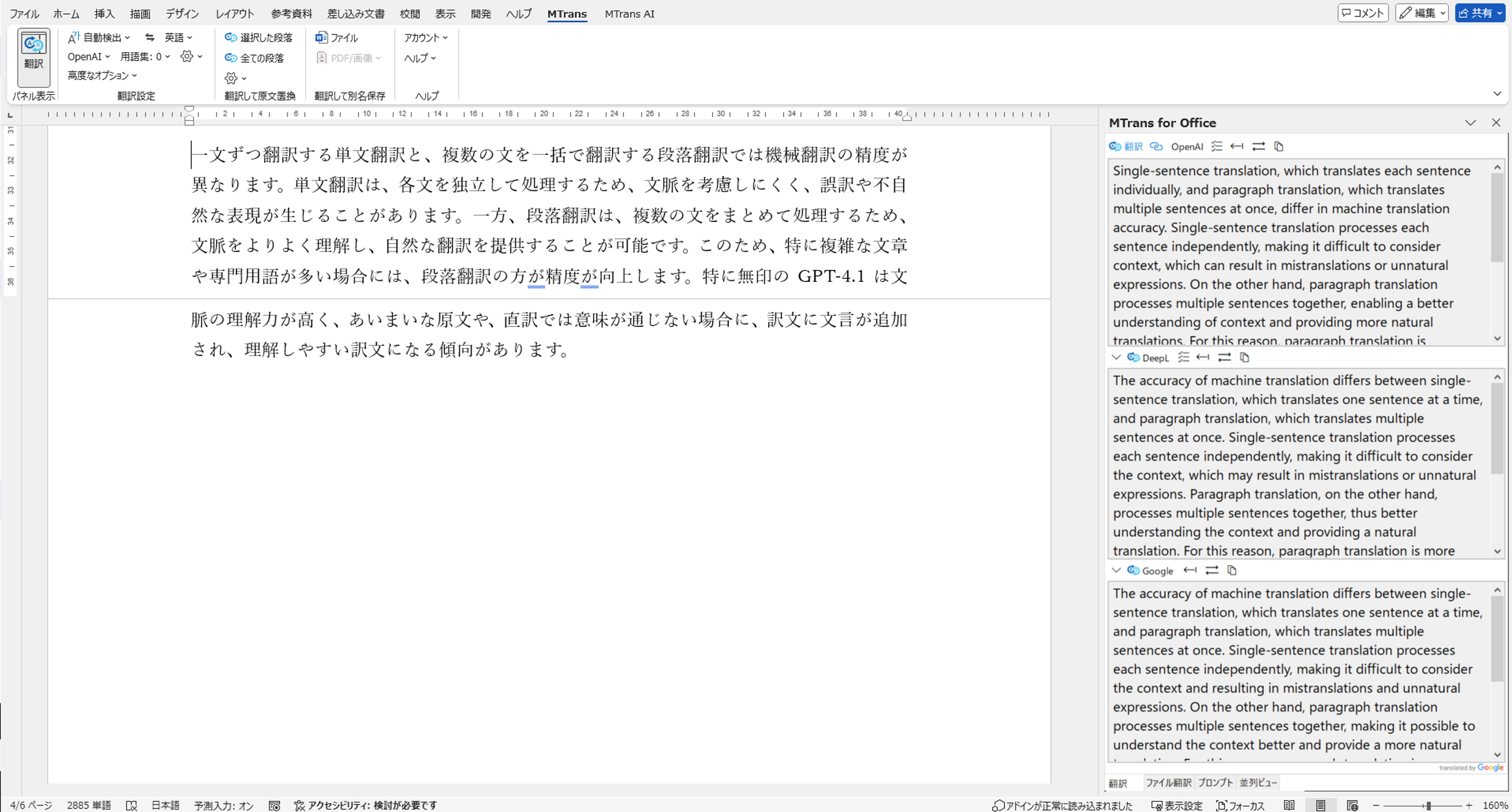
MTrans for Office is an add-in that was developed by our company, Human Science, to add AI translation functions to Word, Excel, PowerPoint, and Outlook. Once this add-in is installed, you can translate documents and emails directly from within each application. You can choose from four translation engines: OpenAI, DeepL, Google, and Microsoft, and since all the engines are connected via API, the input and output data are never reused by the AI systems for additional purposes. The tool enables you to set glossaries and specify whether to translate into casual or polite form, and by using the OpenAI engine, you can even create foreign language emails and proofread texts in addition to translation. For more details about MTrans for Office, please see the product page below.
Automatic translation software for Office applications: "MTrans for Office"
6. How to Choose an AI Translation Tool
This section explains how to choose the appropriate AI translation tool.
| Google Translate | DeepL (Classic language model) | DeepL (Next-gen language model) | ChatGPT | Microsoft365 | MTrans for Office | |
|---|---|---|---|---|---|---|
| Translation Accuracy | Excellent | Good | Excellent | Major languages are excellent | Good | Engine dependent |
| Supported Languages | Over 100 languages | 35 languages | Over 100 languages | Over 50 languages | Over 100 languages | 36 languages |
| Cost Performance | Excellent | Excellent | Good | Excellent | Good | Excellent |
| Functionality and Usability | Glossary settings not available | Fluent, but omissions are common | File translation not available | File translation not available | Batch translation possible in Word | File translation available (Office, PDF, images) |
| Security Measures | Secondary use allowed (In free version) |
Secondary use allowed (In free version) |
Secondary use allowed (In free version) |
No secondary use (Depending on settings) |
No secondary use | No secondary use |
● Translation Accuracy
The accuracy of AI translation varies by service. In addition to accuracy, the fluency of the translation can also differ. For example, DeepL tends to produce more fluent translations compared to other services. The service you should choose to utilize depends on whether you prioritize accuracy or fluency. Aspects such as whether or not you can set a glossary or specify the level of formality in the translation can also affect translation accuracy. If product names or technical terms with pre-determined translations ofen appear in your business documents, we recommend that you choose a service with a glossary feature to improve the accuracy of your translations.
● Supported Languages
Most AI translation services support a wide range of languages and can translate between the most prevalent world languages. If you need to use a minor language for business purposes, you will need to confirm which AI translation services support that language.
● Cost Performance
By using AI translation services, you can significantly reduce costs compared to human translation. However, AI translations may contain more errors or omissions, so careful human revision is necessary. The overall cost of the translation work depends on how much you can reduce this revision work. Therefore, it is important to choose a service with high translation accuracy. Many AI translation services have fixed monthly or annual fees based on the number of users, with the price per user averaging a few thousand yen per month.
● Functionality and Usability
Whether an AI translation tool can handle glossaries is important to its functionality, especially in business contexts, where specialized terminology is frequently translated. Utilizing a glossary feature can significantly improve translation accuracy and reduce the number for manual corrections needed. As a result, the overall cost and duration of translation work can be reduced. The usability of a translation tool varies depending on your needs and circumstances. For example, if you need to translate a lot of Word documents, an AI translation service that can translate Word files directly is very convenient. But, having the most functions is not the only factor that determines usability; having a clear and user-friendly UI is also important.
● Security Measures
AI translation services implement thorough security measures to protect user privacy and confidential information. Encryption technology is used during communication, and data storage and access control are strictly managed. AI translation services adhere to high security standards and employ various measures to ensure safety. However, some AI translation services may reuse user data to improve their systems. Free services like Google Translate and DeepL's free plan fall into this category. To prevent information leaks, you must use services or plans that do not allow data to be used for additional purposes.
● Post-Editing Services
More companies are now offering post-editing services as a follw-up to AI translation services. Post-editing services rely on human editors to improve the quality of text after it is translated by an AI system, which is useful when the quality of the AI translation alone is insufficient. Our company, Human Science, provides post-editing services. For more details, please see the page below.
7. Summary
AI translation tools are tools that use artificial intelligence to automatically translate into other languages. They leverage technologies such as deep learning to enable translation between many different languages. The main benefits of AI translation include time and cost reduction through automation, higher translation accuracy, and support for multiple languages. Some of the more prevalent AI translation tools are Google Translate, DeepL, ChatGPT, Microsoft 365, and MTrans for Office. When choosing which tool to use, the main points to consider are translation accuracy, supported languages, cost performance, functionality and usability, security measures, and the availability of post-editing services. When using AI translation for business, you must select a service that ensures total confidentiality.
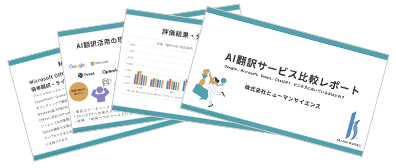
We offer a free report summarizing detailed verification results on the translation accuracy of Google, Microsoft, DeepL, and Chat GPT. The report includes numerous graphs based on actual evaluation data and many specific examples of issues, so if you are interested, please be sure to take a look.
At Human Science, we also offer the automatic translation software "MTrans for Office," which can utilize translation engines from DeepL, Google, Microsoft, and OpenAI. OpenAI not only translates but can also generate, rewrite, and proofread text depending on the prompts, supporting improved work efficiency and multilingual capabilities.
MTrans for Office is available with a 14-day free trial. Please feel free to contact us.
Features of MTrans for Office
① Unlimited number of file translations and glossary integration for a fixed fee
② One-click translation from Office products!
③ Secure API connection
・For customers who want further security enhancement, we also offer SSO, IP restrictions, and so on.
④ Japanese-language support by a Japanese company
・Response to security check sheets
・Payment by bank transfer available
MTrans for Office is an easy-to-use translation software for Office.

















 Return to the top of the page

 +81 35-321-3111[Tokyo Headquarters]
  Contact Us
 Request for Information