
AI Proofreading × Consulting (MTrans for Office)
We design company-specific notation rules and quality standards, and build a “proofreading workflow that can be continuously used in practice” utilizing MTrans for Office.
We cover aspects that existing proofreading tools cannot fully handle, such as “standards compliance,” “terminology unification,” and “semantic quality checks.”
We support everything from designing to operating the evolution of proofreading tasks themselves from manual, person-dependent work to systematic processes.
AI alone does not lead to results just by being introduced.
Whether or not you can design “proofreading rules that AI can correctly judge” is the key to quality improvement and operational efficiency.










AI Proofreading × Consulting (MTrans for Office) What is it?
"MTrans for Office" is an add-in tool equipped with AI proofreading functions that can be used within Microsoft Word.
It is characterized by its ability to check not only formal aspects such as typographical errors and inconsistent notation, but also quality perspectives traditionally judged by humans, including the validity of sentence structure, ease of understanding, and compliance with standards and style guides, all through AI.
At Human Science, consultants who are well-versed in manual creation and quality management of technical documents design the proofreading rules themselves tailored to the customer's documents and operations.
Therefore, from the moment of introduction, it is possible to build a "proofreading environment where AI can make judgments based on the company's own standards," achieving automation of proofreading at the semantic level, which was difficult with existing tools.

Do you have these concerns?
-
#01

It takes a lot of time each time to comply with standards and style guides
-
#02
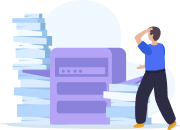
Interested in AI proofreading but unable to utilize it in a way that fits your company’s rules
-
#03

Proofreading rules are personalized, causing quality to vary by department and external contractors


That concern, Human Science’s
AI Proofreading × Consulting (MTrans for Office) will solve it!

Features of AI Proofreading × Consulting (MTrans for Office)
-
 FEATURES 01
Supports company-specific rules and standards, automating proofreading at the semantic level
Currently, many proofreading tools are limited to formal checks such as typographical errors and inconsistent notation.
At Human Science, based on expertise in manual creation and document quality management,
・Terminology unification and notation rules
・Standards for ambiguous expressions and prohibited expressions
・Compliance conditions for international and industry standards
・Systematization of in-house style guides
These standards are broken down and designed to a granularity that generative AI can understand and judge.
This enables "meaning checks optimized for your company" right after implementation, eliminating quality variations and dependence on individual skills.
The value of AI proofreading lies not in "automation" but in the “automation of correct quality” according to your company’s standards. -
 FEATURES 02
Can be used directly in Word, so it settles in without burdening the workplace
MTrans for Office operates as an add-in for Microsoft Word.
Therefore, there is no need to change your workflow such as file conversion, copy & paste, or uploading to external tools.
Since AI proofreading can be performed as an extension of the conventional creation and editing tasks, there is little resistance at the time of introduction, and it naturally becomes established in the workplace.
The check results are also displayed in Word, allowing proofreading → correction → rechecking to be completed on a single screen. -
 FEATURES 03
Manage and share proofreading rules online, turning quality standards into organizational assets
Proofreading rules are not just simple prompts,
・Search and extraction conditions (including regular expressions)
・Check conditions based on style guides
・Terminology standardization dictionary
・Check conditions by document type
can be centrally managed and shared online.
This allows you to maintain stable document quality even when there are changes in personnel or organizational structure, and it also makes it easier to align quality standards when collaborating with external production companies or other departments.
Furthermore, even if product lines or departments increase, the same standards can be applied across the board, enabling the organization as a whole to build consistent quality standards.
Rather than ending with just the introduction of the tool, accumulating and sharing proofreading rules and quality standards themselves as knowledge assets is the key to successfully continuing to utilize AI proofreading in the long term.

Use Cases of AI Proofreading × Consulting (MTrans for Office)
-
 CASE 01
Manufacturing Industry (Development Department)
Due to the large volume of manual proofreading for instruction manuals, quality checks could not keep up, resulting in inconsistent notation and errors. By using AI to perform full-text checks of complex description rules and unify standards, we achieved fast and highly accurate proofreading as well as quality improvement with a user-centric perspective.
-
 CASE 02
Manufacturing Industry (CS Department)
Content updates on the knowledge system became dependent on individuals, resulting in inconsistent quality. Delays in response and increased costs due to higher update frequency were also issues. By promoting standardization through AI proofreading, both cost reduction and shorter delivery times were achieved simultaneously.
-
 CASE 03
Service Industry (Legal Department)
Contract review was dependent on individuals and involved a heavy time burden. By introducing an AI proofreading tool that automatically points out unnatural expressions and inconsistencies, review time was shortened and operational efficiency improved.
Process Until Project Start
-
Contact Us
Please contact us via the inquiry form. It is also possible to conclude an NDA in advance.
-
Hearing
The person in charge of MTrans products and the manual consultant will hear about your company's concerns and challenges.
-
Proposals
Based on the hearing results, we will present an estimated cost.
-
Contract
If you agree to the presented terms, we will conclude the contract.
-
Project Start
We will hold a kickoff meeting and start the project.





FAQ
-
Q1
I would like to know the cost.
A.Please check the cost of MTrans for Office here (https://www.science.co.jp/nmt/service/mtrans_office.html#price). If rule design or consulting is required, we will provide a separate estimate.
-
Q2
Are there any restrictions on the Word version?
A.The AI proofreading feature is available on Microsoft 365 for both Windows and Mac versions.
-
Q3
Is data security assured?
A.Data entered via MTrans for Office is not used for learning or secondary purposes due to API connection. For details, please refer to the "MTrans Security Policy."
https://www.science.co.jp/nmt/secret.html -
Q4
Is a trial available?
A.A 14-day free trial is available. You can use it under the same environment as the production environment.